How to see who unfollowed you on Instagram
Request your official Meta export, then check the ZIP for non-mutual follows. Compare exports from two dates to find changes in the saved lists.
Open the data export
The official export is available in both Threads and Instagram:
- Threads: Settings → "Export your information".
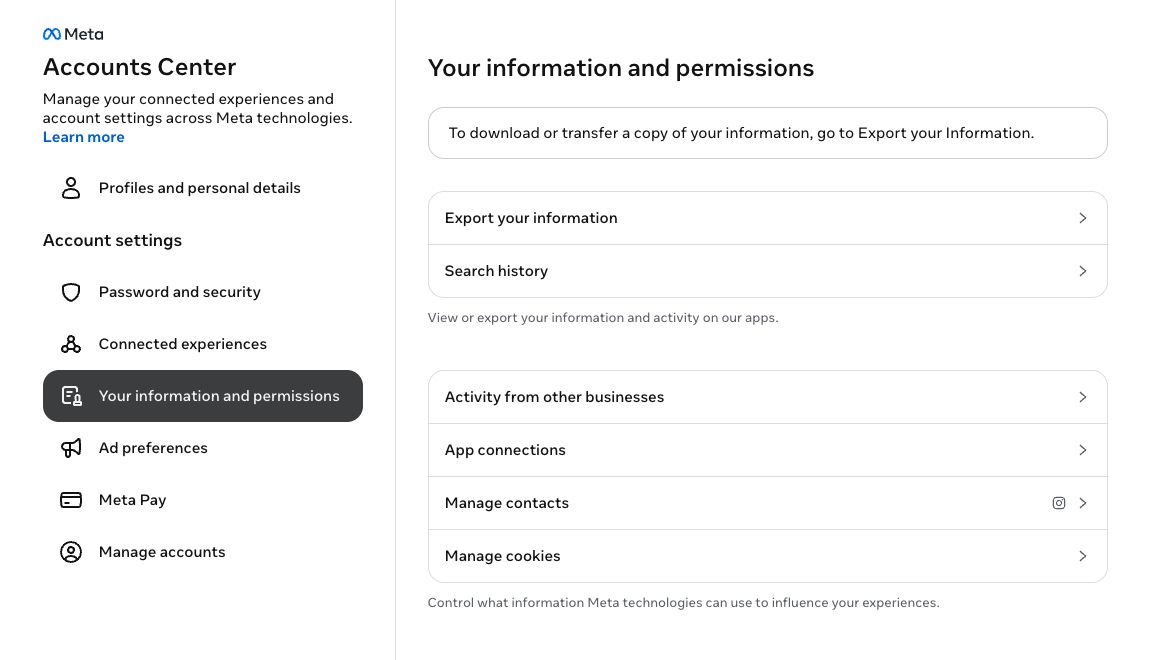
- Instagram: Settings → Accounts Center → "Your information and permissions" → "Export your information".
The screenshots show the English interface. If your Instagram uses another language, follow the same menu positions and icons.
Create a new export
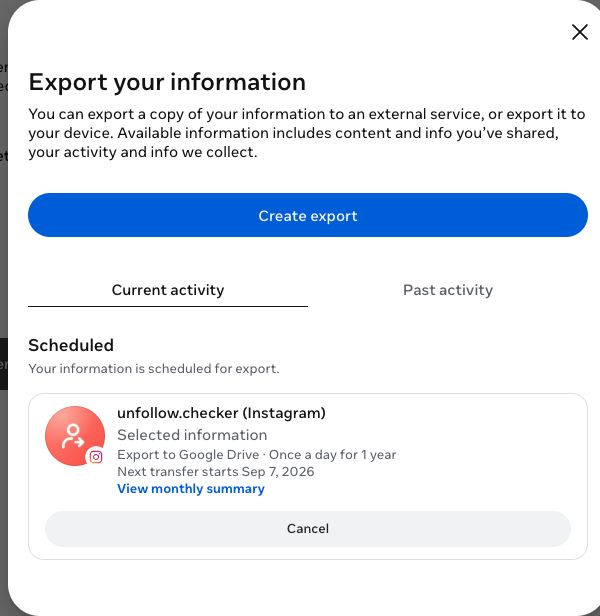
You'll see your past exports on this page. To make a new one:
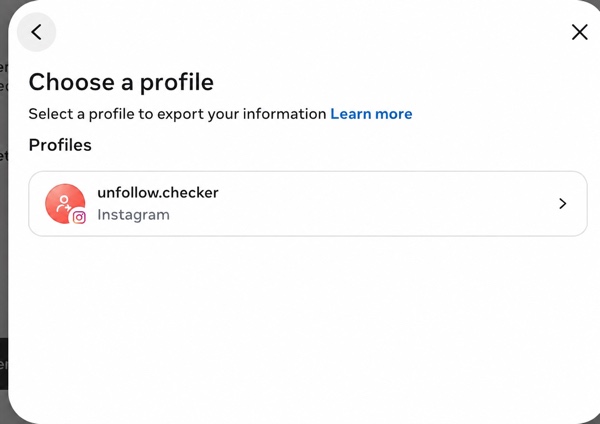
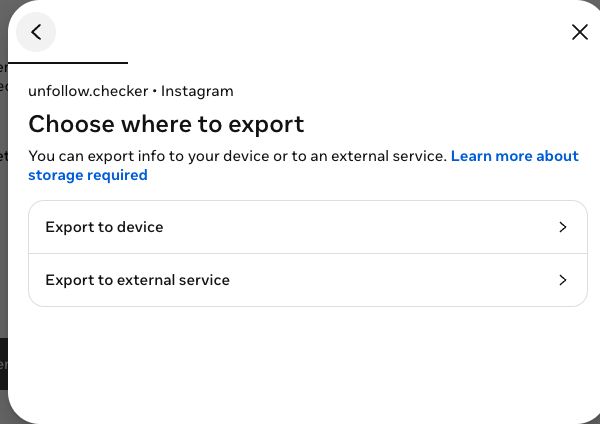
- Tap "Create export".
- Choose a profile.
- Select "Export to device".
Set the options
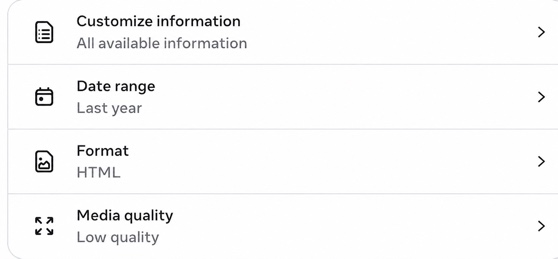
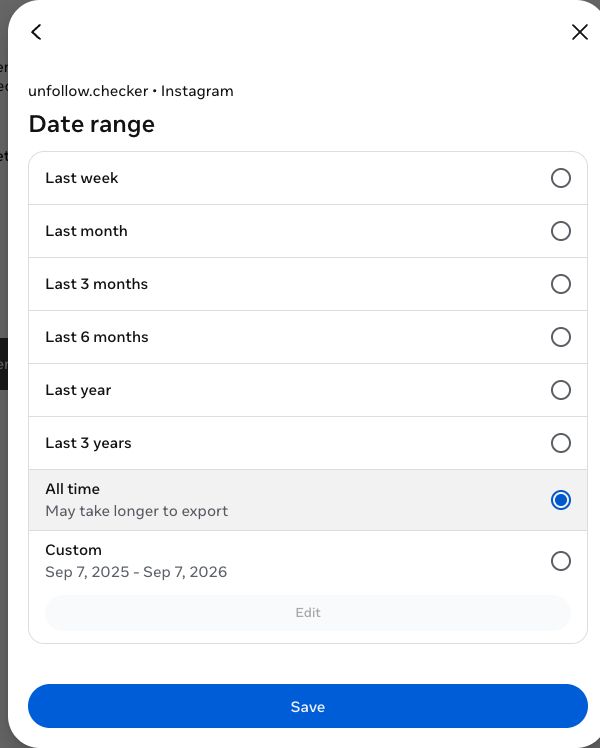
Before starting, set the export options:
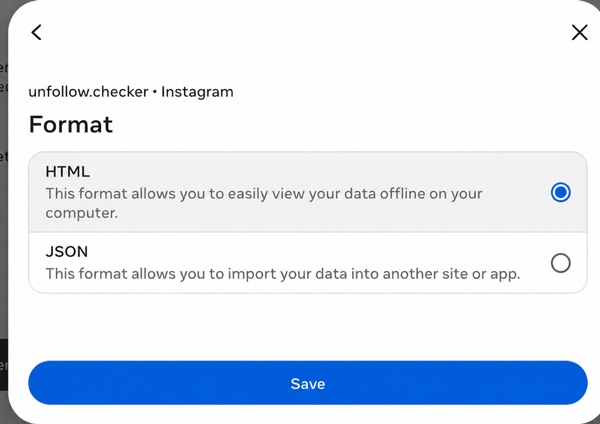
Show additional lists from the archive
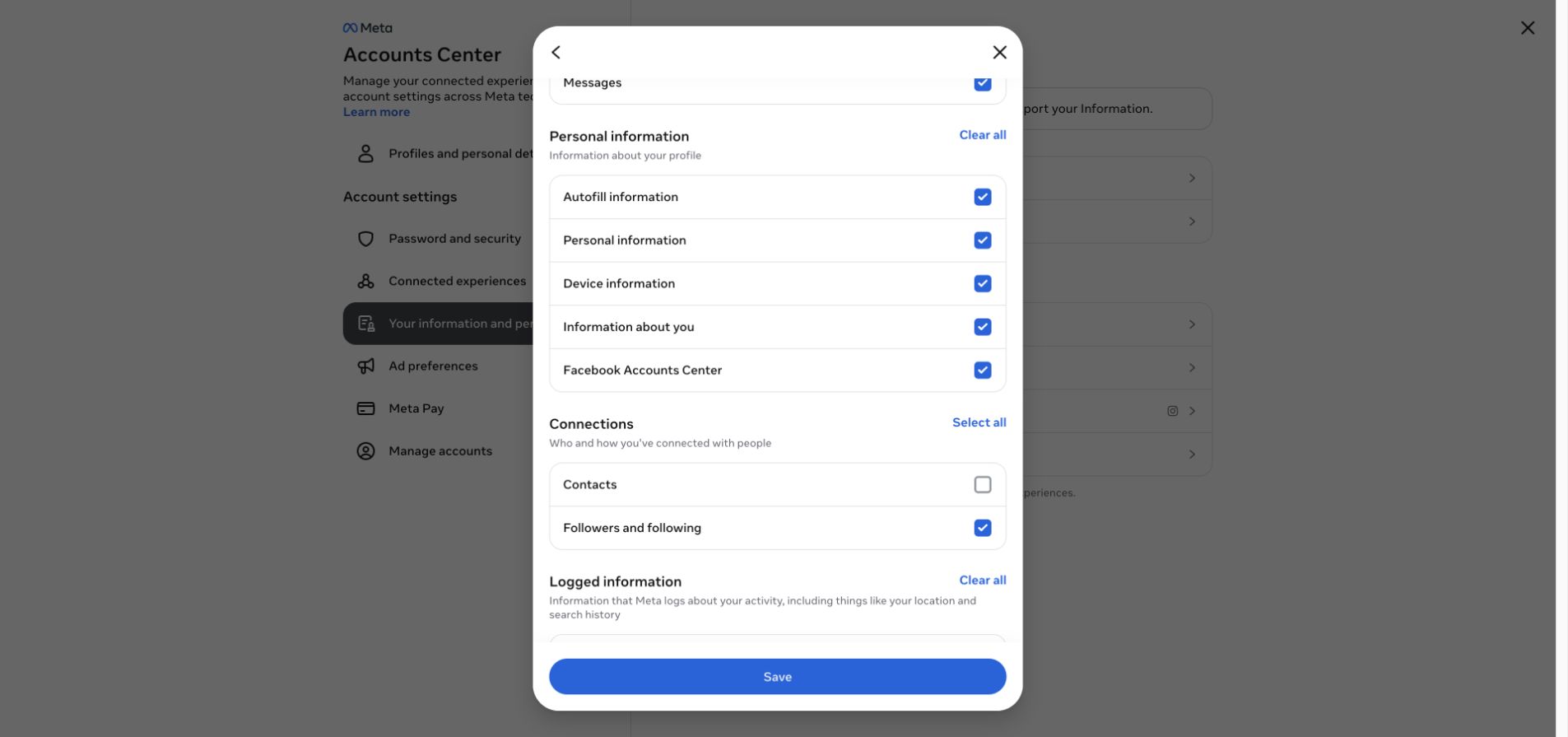
To show Pending follow requests, Close Friends, Favorites, Restricted, Blocked, Hidden stories and other relationship lists, include Customize information → Connections → Followers and following in the Instagram export. For Threads lists, include Threads follower and following data for that profile. Meta may omit an optional list even when this category is selected.
Under "Customize information", select Connections → Followers and following. This is the only category required for Instagram. Select Threads only if you also want Threads results; Your Instagram activity → Following is not required. Then tap "Start export".
Upload to Unfollow Checker
Wait until Meta marks the export ready, then download the ZIP. Preparation time varies and is separate from analysis in Unfollow Checker.
- To download — repeat step 1: a download link appears on the export page.
- Don't unzip the .zip.
- Choose the original ZIP on the home page to analyze the saved lists.
To include Threads results in the same archive, select Threads in step 3. Otherwise the Instagram export works without it.
Compare over time — optional
One archive shows relationships at the time of export, not a live account view. The browser saves analysis snapshots, not the original ZIP. Keep a baseline and add a newer export of the same profile with the same data categories:
- New — usernames present in the newer follower list but absent from the older one.
- Unfollowed — usernames present in the older follower list but missing from the newer one.
A missing username does not prove an intentional unfollow. Renames, unavailable profiles and incomplete exports can affect matching. The comparison cannot reveal an exact time or reason, or changes that began and ended between snapshots.
Your file and saved results: manual analysis reads the ZIP in your browser without uploading it or asking for your Instagram or Threads password. Signing in saves extracted lists and results to your account. Without sign-in, they stay in this browser. See the Privacy Policy.
Still have questions? Check the FAQ.
Ready to try?
Find out who doesn't follow you back — free, private, and without a password.
Open the tool
How to Download Your Instagram Data for a Follower Check
An Instagram export can contain your follower and following lists. It is a snapshot for comparison, not a complete history of everyone who ever followed or unfollowed you.
How to Check Who Unfollowed You on Instagram
To check for Instagram unfollows, compare an older follower list with a newer one. A current list alone cannot reconstruct who followed you before you started keeping records.
Are Instagram Unfollower Apps Safe? What to Check
An unfollower tool's safety depends on its access, data handling, and behavior. Working from an export avoids sharing your Instagram password, but it is not a blanket guarantee of privacy.