Threads Unfollow Tracker
Check who does not follow you back on Threads and compare exports to find changes in your followers. Use your official Meta ZIP in the browser, without sharing your Threads password.
How to see who unfollowed you on Threads
To check who unfollowed you on Threads, compare the follower lists in two official Meta exports from different dates. A single export answers a different question: who you follow on Threads who does not follow you back. This guide covers both checks, from requesting the right data to interpreting your results, without installing a Threads tracker app.
- 1
Open the data export
The official export is available in both Threads and Instagram:
- Threads: Settings → "Export your information".
- Instagram: Settings → Accounts Center → "Your information and permissions" → "Export your information".
Start with the account whose Threads followers you want to check. Meta prepares the download; Unfollow Checker reads the file you choose to upload. If Meta asks you to sign in while requesting the export, do that on its own website. You do not need to share your Threads or Instagram password with Unfollow Checker.
The screenshots show the English interface. If your Instagram uses another language, follow the same menu positions and icons.
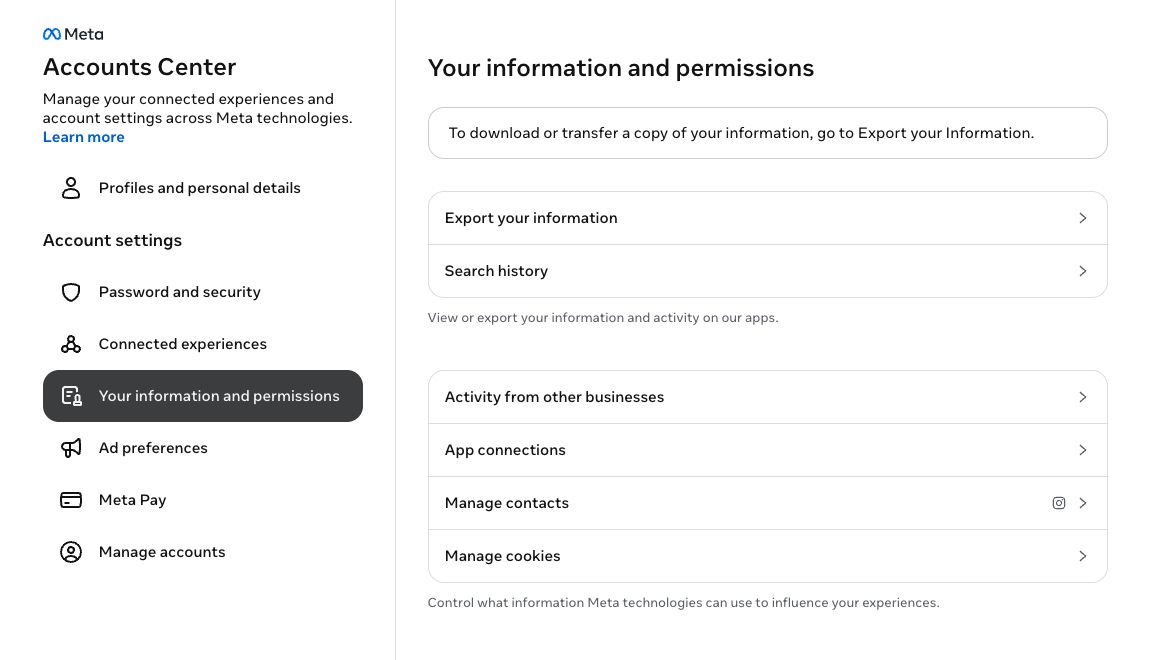
Open Your information and permissions, then Export your information. - 2
Create a new export
You'll see your past exports on this page. To make a new one:
- Tap "Create export".
- Choose the active Threads profile. Alternatively, choose Instagram and include Threads in the export settings.
- Select "Export to device".
Choose your Threads profile when it appears in the profile selector. If you export through the linked Instagram profile instead, include Threads in the next step. Instagram followers and Threads followers are separate lists, even when the accounts share a username. An Instagram-only archive cannot show who unfollowed you on Threads.
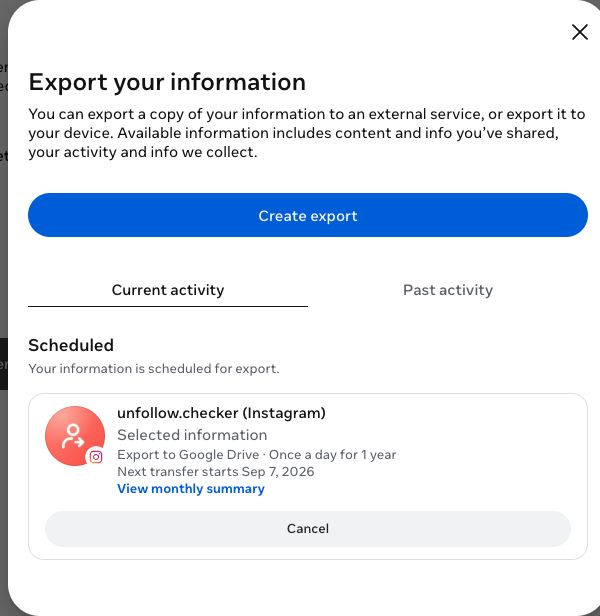
Press Create export. 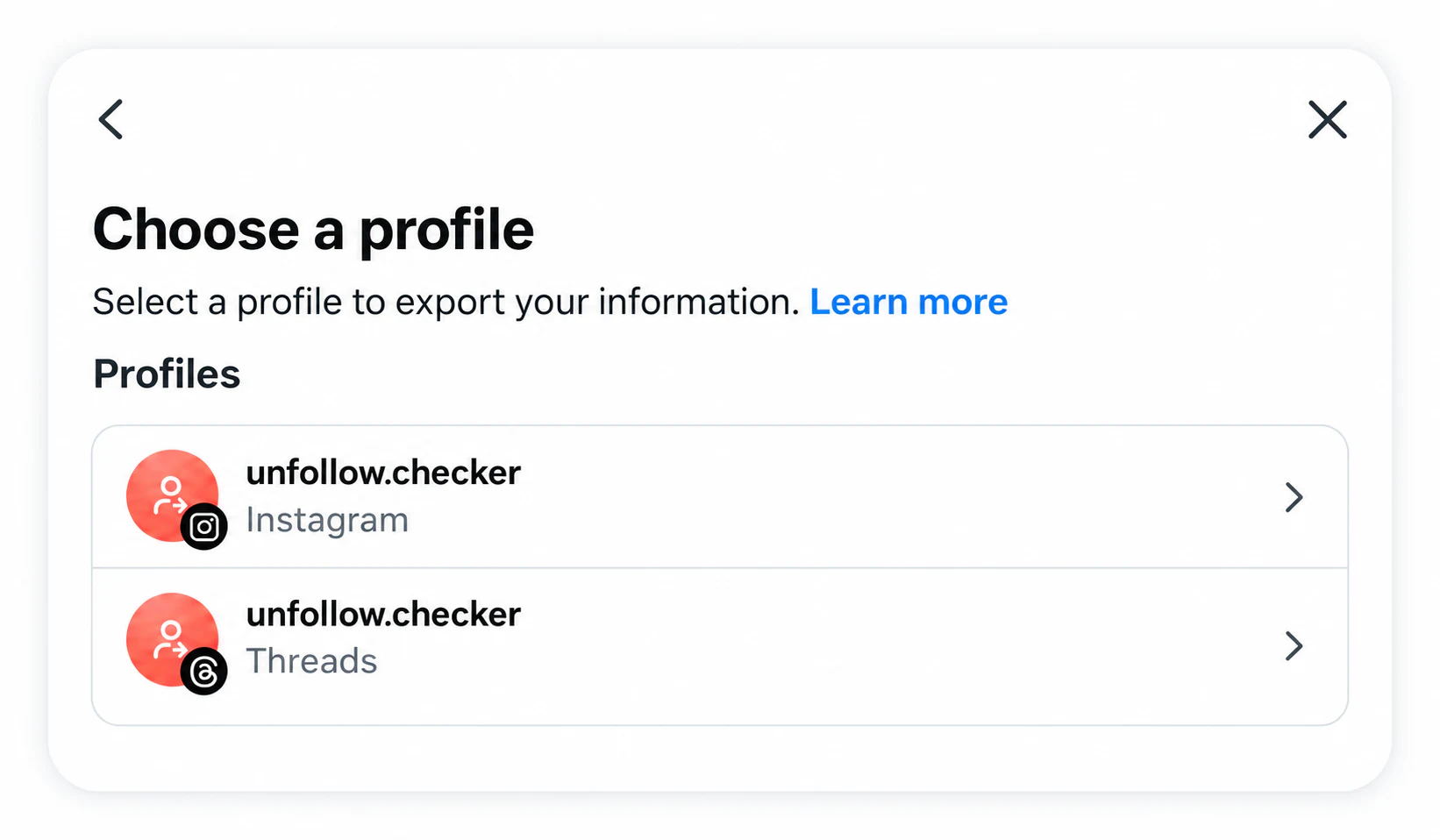
Choose the active Threads profile. Alternatively, choose Instagram and include Threads in the export settings. 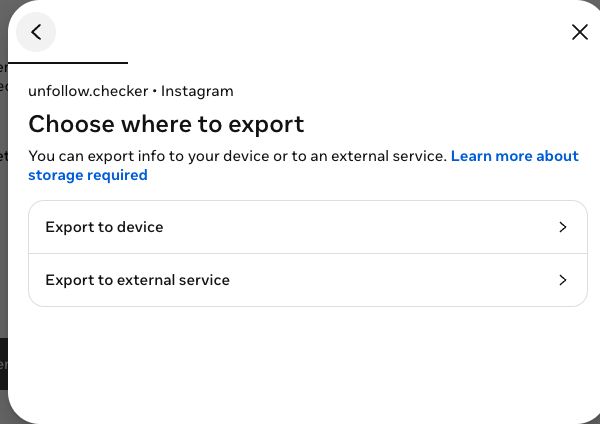
Choose Export to device. - 3
Set the options
Before starting, set the export options:
- Date range
- All time
- Avoid excluding follow records with a short date range. This does not restore past unfollows.
- Format
- HTML (recommended)
- HTML may include the export date; JSON is also supported.
- Media quality
- Low
- faster export; media is not needed.
Under Customize information, keep the Threads data that contains your followers and following. If you selected the Instagram profile, select the Threads category shown below: Connections → Followers and following alone supplies Instagram lists. Use All time to avoid excluding records with a short date range. Photos and videos are not needed to compare usernames, so low media quality keeps unnecessary downloads smaller.
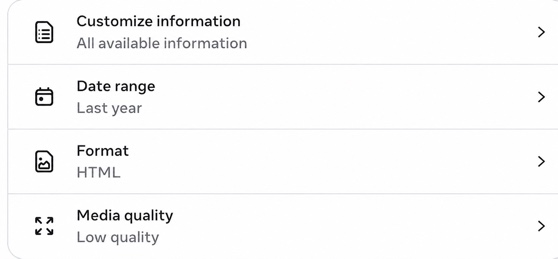
Open Customize information, Date range, Format and Media quality. The notification email is intentionally excluded from this screenshot. 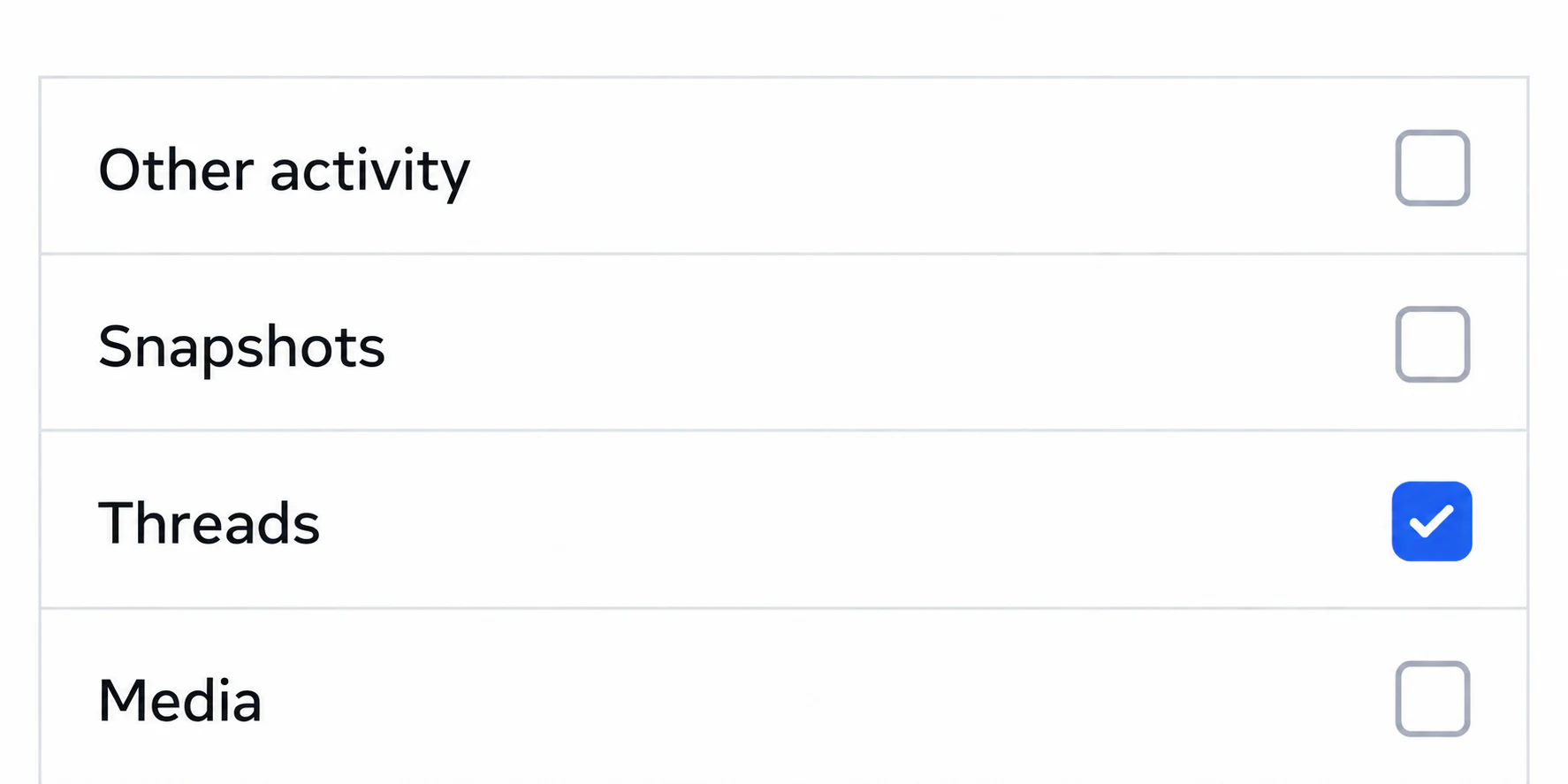
If you chose Instagram, select Threads under Customize information. Connections → Followers and following alone only includes Instagram lists. 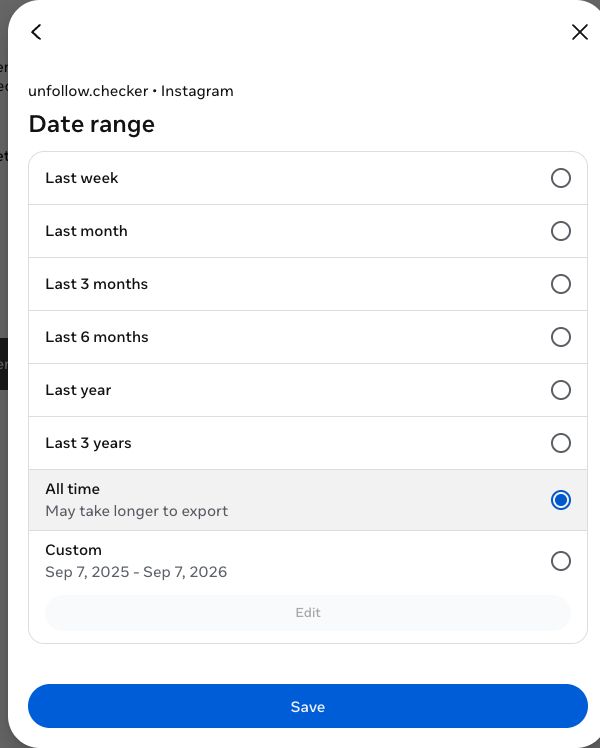
Select All time to avoid filtering out follow records by date. This does not recover a history of past unfollows. 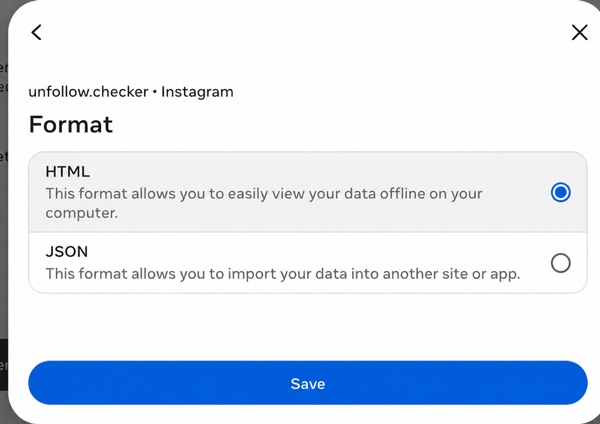
Choose HTML or JSON. HTML may include the export creation date; when it is absent, the snapshot date can be approximate. Save your settings and select Start export. Wait until Meta marks the download as ready, then return to the export page to download the ZIP. Preparation time varies; the analysis starts after you have the file. Keep the original archive if you want to compare it with another export later.
- 4
Upload the ZIP on the home page
Wait until Meta marks the export ready, then download the ZIP. Preparation time varies and is separate from analysis in Unfollow Checker.
- To download — repeat step 1: a download link appears on the export page.
- Don't unzip the .zip.
- Choose the original ZIP on the home page to analyze the saved lists.
Upload the original Meta ZIP without extracting or renaming files inside it. Manual analysis reads the archive locally in your browser; the ZIP itself is not uploaded. Optional account backup can sync extracted results. If the Threads tab is missing, check that the archive includes Threads followers and following, then request a new export with that category selected.
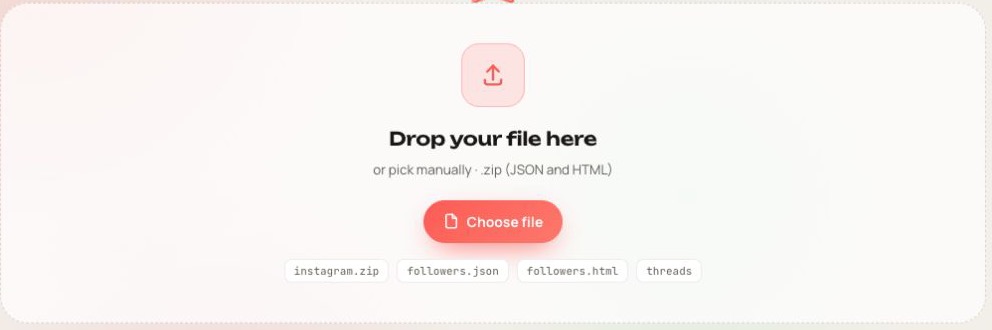
Upload the ZIP downloaded from Meta. The archive is processed locally in your browser. - 5
Read your Threads results
Open the Threads tab after processing. Not back lists accounts present in your following list but absent from your followers list in that export. This is a snapshot of non-mutual follows, not proof that those accounts recently unfollowed you. Someone who has never followed you can appear here too.
To track Threads unfollowers over time, keep the first export as a baseline and upload a newer export for the same profile with the same data categories. For example, an account listed among your followers in the first archive but absent from the second appears in Unfollowed. An account present only in the newer follower list appears in New. Compare the snapshot dates as well as the counts.
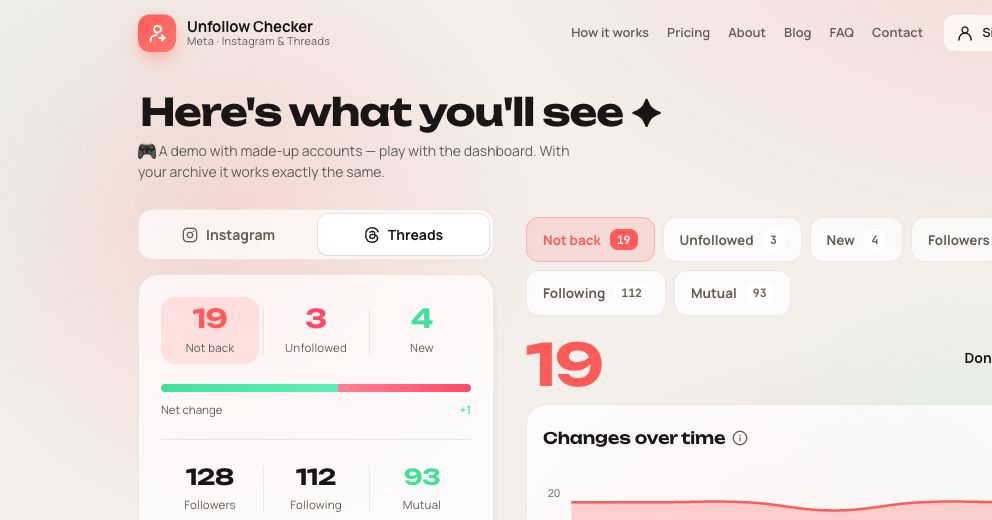
Open the Threads tab to see who doesn’t follow you back and compare later exports. The comparison shows differences between saved follower lists. It cannot establish the exact time or reason for a change, and follows that begin and end between exports may not appear. A renamed or unavailable account, or missing export data, can also affect the comparison. Check the current profile before treating a missing entry as a confirmed unfollow.
Check your Threads unfollowers now
Have your Meta ZIP ready? Upload it to check non-mutual follows, or compare it with a saved export to find changes in your Threads followers.
Open the tool
Threads unfollowers — frequently asked questions
Is there a real Threads unfollow tracker?
Yes. Unfollow Checker works as an export-based Threads unfollow tracker: it compares follower lists saved on different dates. It does not monitor your account live. Start with one archive to check non-mutual follows, then add a newer export to compare changes.
Does Threads tell you who unfollowed you?
Threads does not provide an unfollow notification or a built-in unfollow history. You can check a known account's current relationship manually. Comparing a saved follower list with a newer one can reveal missing usernames. The total count alone does not identify departures: new followers and missing accounts may offset each other.
How do I see who unfollowed me on Threads?
Export your Threads followers and following from Meta in HTML or JSON, using All time. Upload the original ZIP, keep it as a baseline, and later upload a newer export for the same profile. The Threads tab separates missing followers from newly added ones.
Do I need my Threads or Instagram password?
Unfollow Checker does not ask for your Threads or Instagram password. Meta may ask you to sign in on its own website to request or download the export. Manual ZIP analysis works without signing in to Unfollow Checker.
Is it free?
Manual uploads and comparisons of your Instagram and Threads exports are free.
Threads Unfollow Tracker: Build a Useful Follower History
Five more followers can hide eight arrivals and three departures. Learn how to compare Threads exports, choose a baseline and keep a history you can interpret.
How to Check for Missing Followers on Threads
To investigate a missing Threads follower, compare two Threads follower lists for the same profile. Instagram follower data alone cannot establish what changed on Threads.
How to Clean Up Your Threads Following List
Build a Threads-specific shortlist, review conversations you want to keep, and verify the final relationships with one complete practical example.